AI Script Assistant
The AI Script Assistant helps you automatically generate and apply custom C# field mapping scripts for your SyncNow sync processes. This is especially useful when you need advanced transformations between fields—for example, converting a priority label into an indexed string.
⚙️ What It Does
- 🧠 Accepts natural language prompts to describe the transformation logic you need.
- 🛠️ Generates a full C# script compatible with SyncNow’s field mapping system.
- 🔍 Allows you to review and compare differences between the new script and any existing one.
- ✅ Lets you apply the script directly to your field mapping configuration.
✍️ Example Prompt
Prompt: "Please assist with the following SyncNow C# field mapping script. For these values High, Medium, Low, create a script that will return the index followed by a dash. For example, 'High' should return '1-high'."
🧾 Generated Script
/// <summary>
/// Calculates a value of the 'Priority (priority) (priority)' field
/// of the 'Story' entity in the 'JiraCloud' system
/// </summary>
/// <param name="mapping">The MappingContext object with properties:
/// dynamic SourceEntity - fields of the Sales AI entity
/// string SourceEntityID - source entity ID
/// string SourceEntityName - source entity name
/// string SourceFieldName - source field name
/// string SourceFieldValue - source field value
/// dynamic CurrentTargetEntity - current fields of a target entity
/// string SystemName - source system name
/// </param>
/// <returns>Value of the field</returns>
string CSharpFunc(MappingContext mapping)
{
    // Source entity fields
    var sourceDic = (IDictionary<string, object>)mapping.SourceEntity;

    // Check if the priority field exists
    if (!sourceDic.ContainsKey("Priority (project_priority)"))
    {
        return string.Empty; // or handle the absence of this field
    }

    // Get the source field value
    string priorityValue = sourceDic["Priority (project_priority)"].ToString();

    // Map the priority values to indices
    switch (priorityValue.ToLower())
    {
        case "high":
            return "1-high";
        case "medium":
            return "2-medium";
        case "low":
            return "3-low";
        default:
            return "@@DO_NOT_SYNC"; // Prevent sync if value is not recognized
    }
}

return CSharpFunc(Mapping);
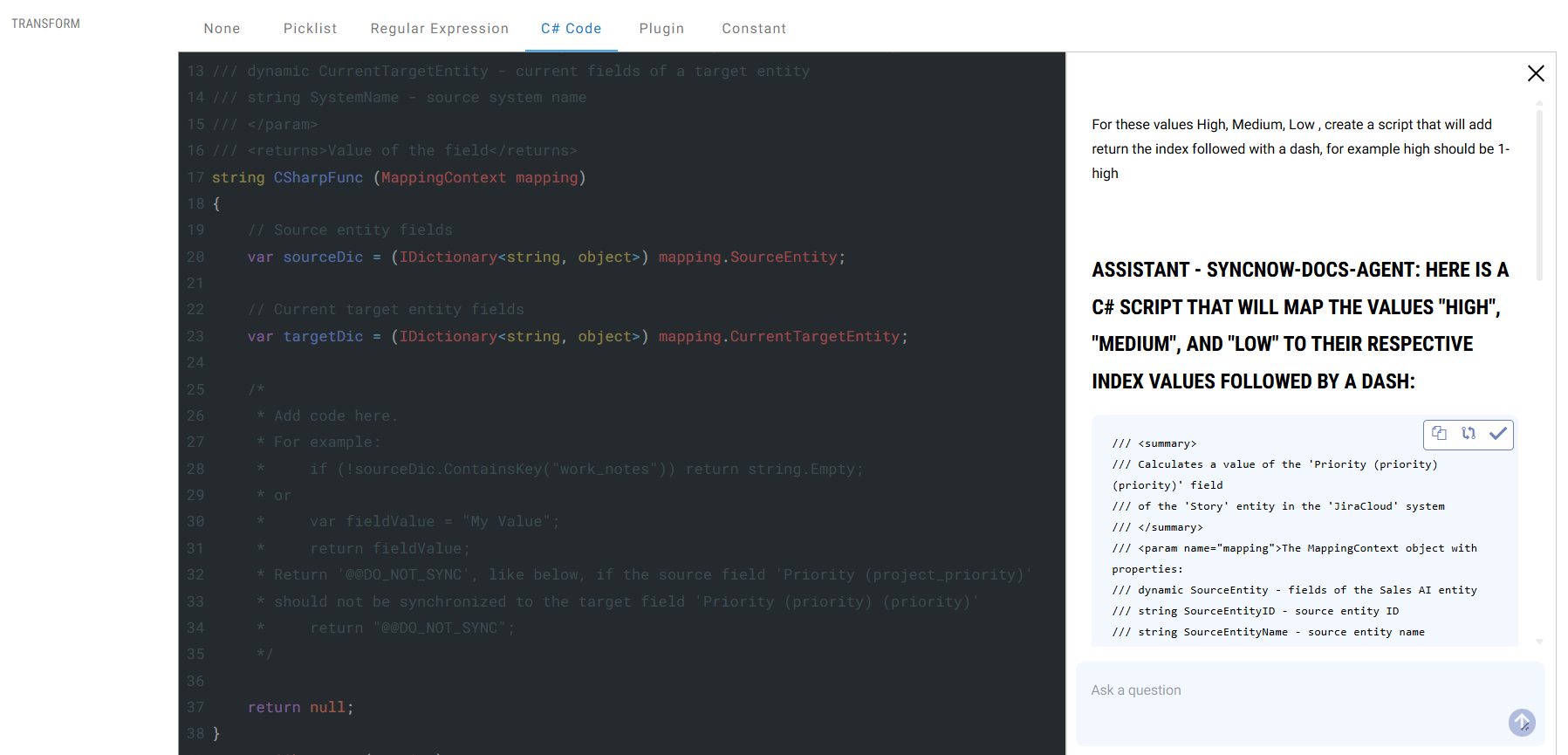
✅ Apply or Compare Script
Once the script is generated, the assistant will:
- Show you a side-by-side comparison with your existing script (if any).
- Highlight differences using a diff viewer.
- Let you apply the new script instantly with one click.
💡 You can always revise the prompt to improve or adjust the logic.